Cross Slope Replicator (CSR)
Cross slope replicator (CSR) is a software module designed to replicate recorded cross slopes from previous milling passes. This module is particularly useful for maintaining consistent cross slopes across multiple milling passes, ensuring that the milled road surface has same cross slope across the entire driving lane.
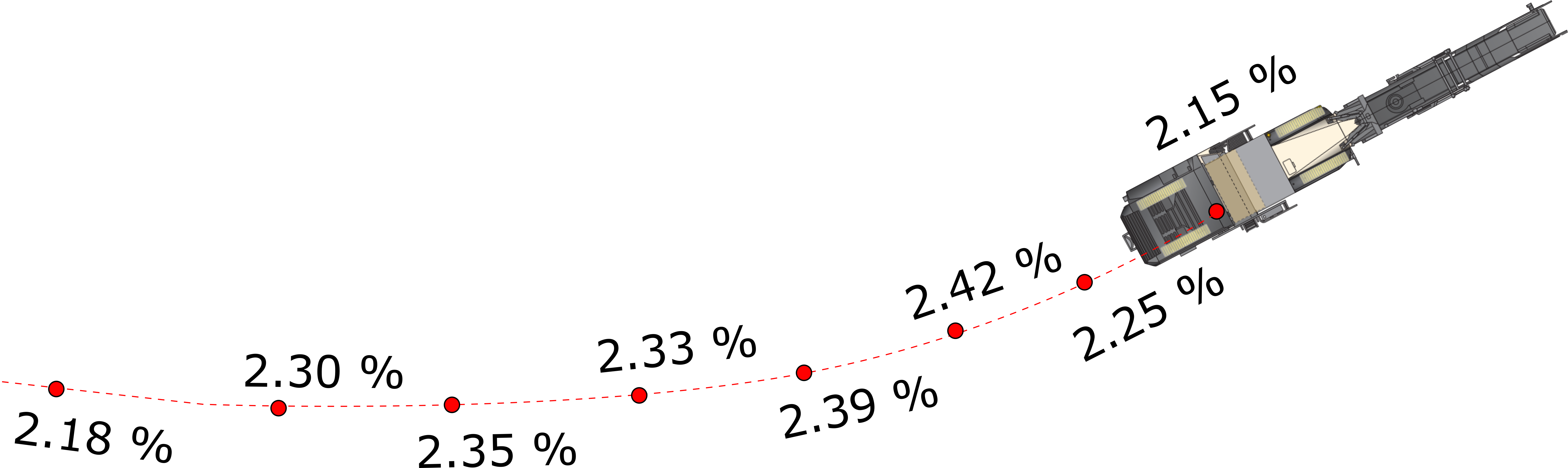
For using the CSR module, you don't need any desing models or do some preparations. You just record the cross slopes during the first milling pass (slope recording) and then use the CSR module to replicate these slopes (slope replaying) in subsequent passes. During the slope replaying, module will project current machine position to the recorded cross slopes line and interpolate the slope value for the current position. This allows for precise control over the cross slope, ensuring that it matches the recorded values from the first pass.
Position with machine cross slope is recorded every second during the slope recording process. This means that the recorded cross slopes are not just points, but a continuous line of slope values that can be replayed accurately and perfectly fit cross slope changes in road turns and other complex geometries.
Recording Cross Slopes
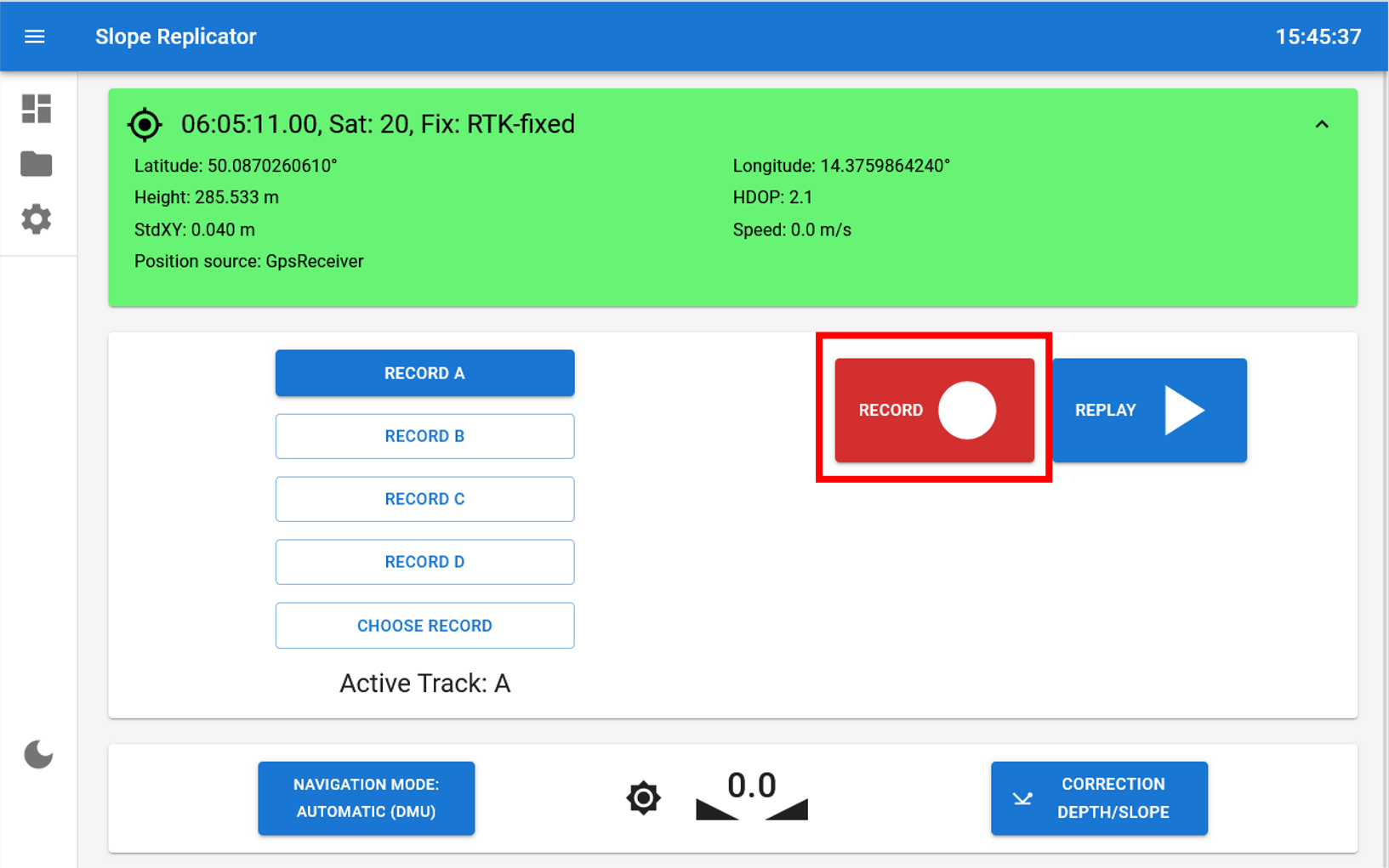
To record milling cross slopes during the first pass, you just need to select one of the record slots A-H and press the Record button. If you already have a recorded cross slope in the selected slot, module will display modal window with the following options:
- Overwrite - to overwrite the existing cross slope with a new one
- Append - to add the new cross slope to the existing one, creating a combined slope record
- Cancel - to cancel the recording process
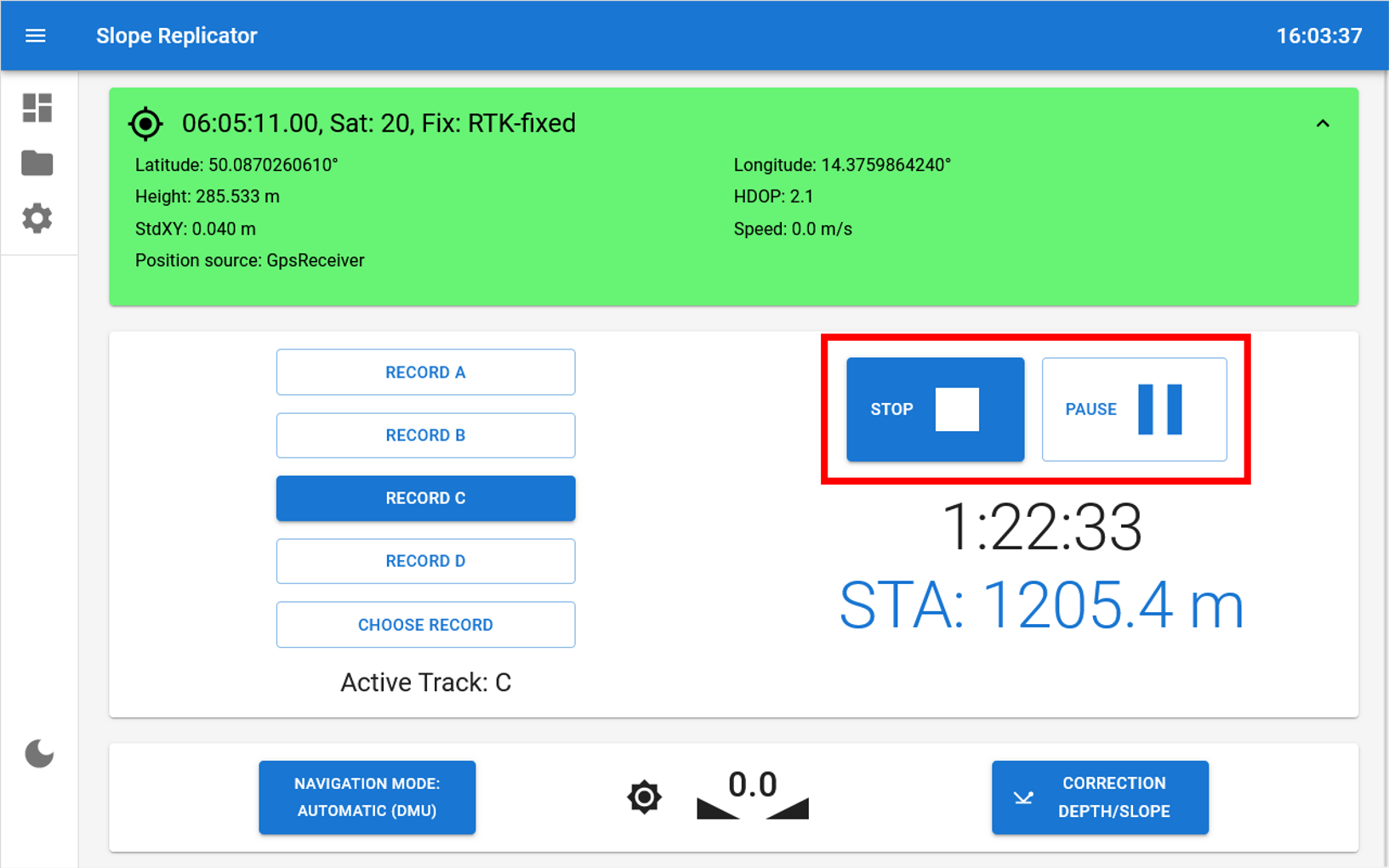
The module will start recording the cross slopes and machine position every second. If you stay with the machine in the same position or you need to overpass some obstacle, you can press the Pause button to pause the recording and after that you can continue the recording by pressing the Resume button. You can stop the recording at any time by pressing the Stop button.
Even if you Overwrite previously recorded slots, the module will keep the previous cross slope data in the history, allowing you to revert to it if needed.
Replaying Cross Slopes
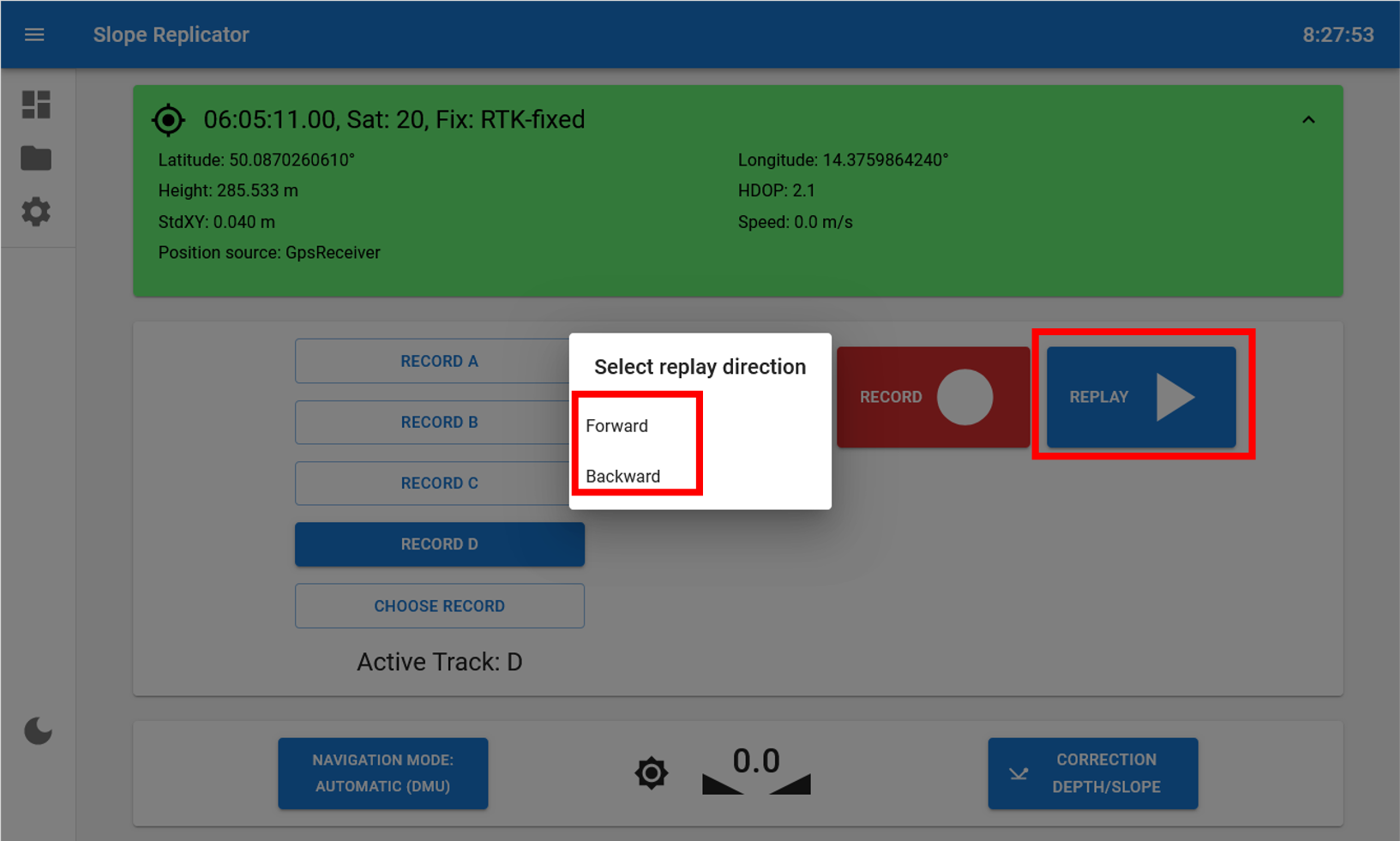
To replay the recorded cross slopes, you just need to select the slot with the recorded cross slope and press the Replay button. The module will start replaying the recorded cross slopes, projecting the current machine position to the recorded line and interpolating the slope value for the current position. These slopes will be shown on the screen and also transmitted to the milling machine via CAN bus, allowing the machine to adjust its operation accordingly.
This allows for precise control over the cross slope, ensuring that it matches the recorded values from the previous recording pass.
Cross Slope Correction
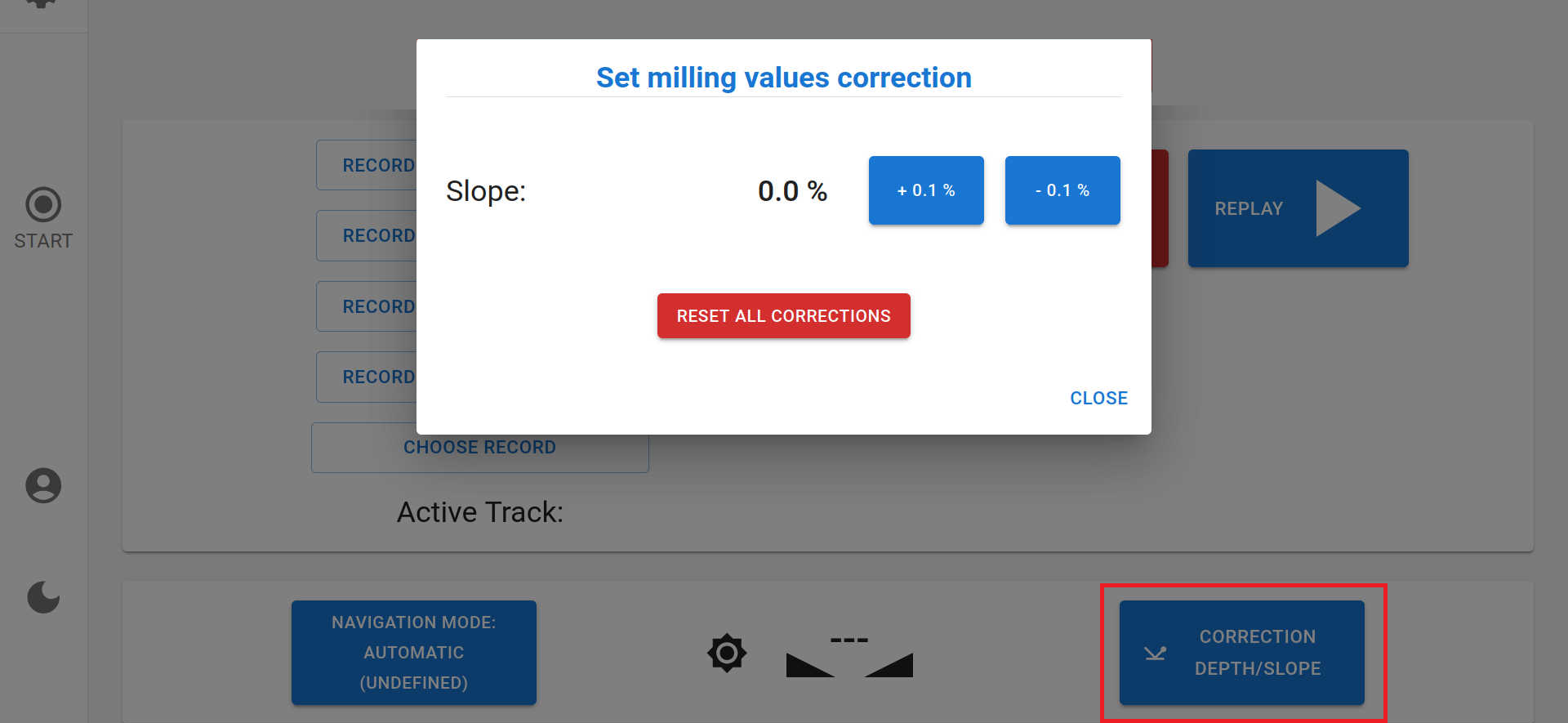
If you want to add correction to the recorded cross slopes, you can use the Correction Depth/Slope button. This allows you to adjust the recorded slopes by a specified value, which can be useful for fine-tuning the cross slope to meet specific requirements or conditions - for example add 0.5% slope correction to the last not full width pass to prevent height differences between passes.