3D Differential Milling
This module is the core of the Exact Differential Milling Unit (DMU) system, when based on the provided input *.dmd (differential milling data) file is milling machine controlled in real time. The DMU software uses dual GNSS receivers to calculate exact milling parameters (left/right depth and cross slope), which are displayed on a rugged touchscreen computer and transmitted via CAN bus directly to the milling machine.
For creating *.dmd project file user needs (or Exact company can provide as service):
- 3D model of the actual road surface to be milled,
- 3D design model of the road surface after milling,
- optionally axis/alignment of the road and outer boundary of the road.
Input *.dmd file can be downloaded on Exact Optimill website or provided by the Exact team representative.
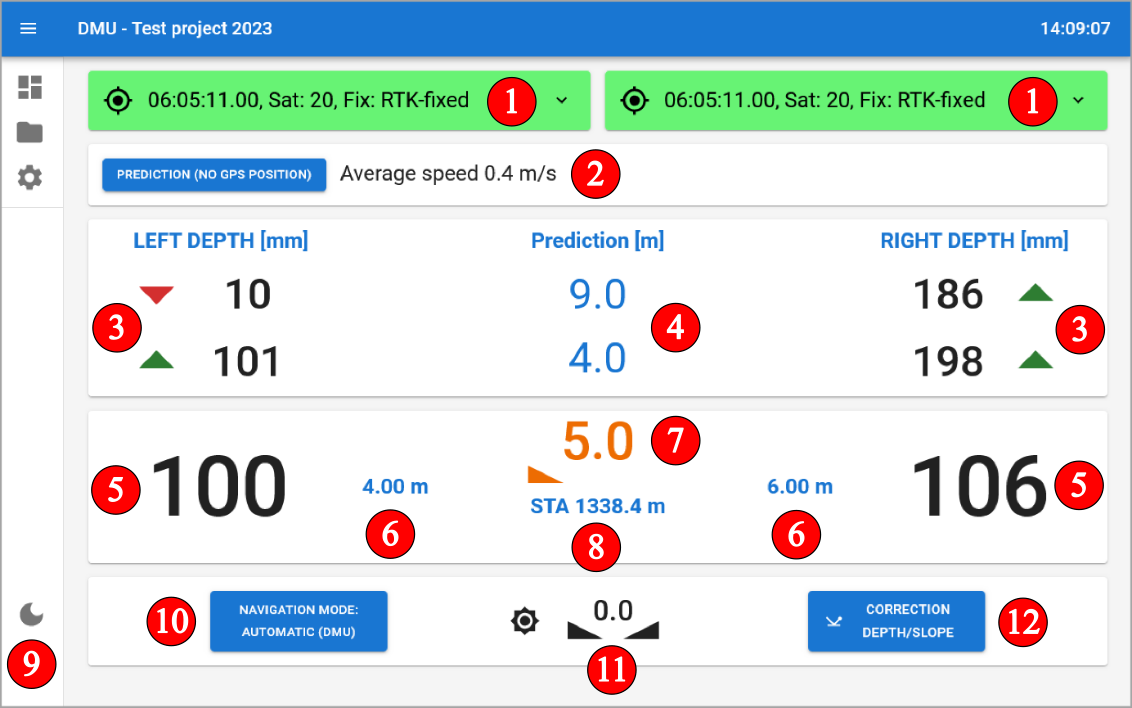
Module information:
- GNSS signal quality indicator
- Prediction mode - possibility to set predictive milling values for use in areas with poor signal (prediction mode)
- predicted depth for left and right side
- distance to predicted depth
- actual designed milling depth for left and right side
- offset of the milling drum from the axis of road for left and right side
- current designed milling slope
- current stationing
- possibility to switch to day and night display mode
- possibility to switch between automatic and manual milling mode
- current milling machine slope
- milling value correction settings
GNSS signal quality
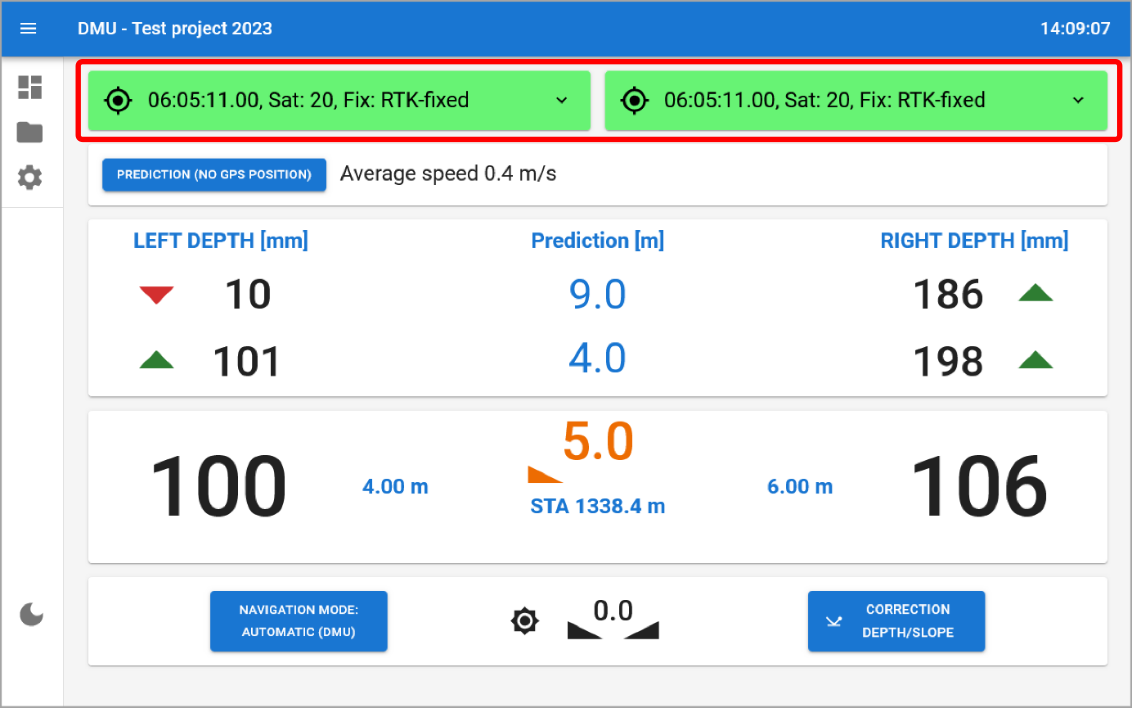
GNSS positioning is crucial for the accurate operation of the DMU system. The GNSS signal quality is indicated by a color-coded system on the DMU dashboard:
- Green: High-quality suitable for precise milling operations.
RTK-FIXcentimeter accuracy. - Orange: Medium-quality acceptable for
milling but requires caution and user supervision.
RTK-FLOATdecimeter accuracy. - Red: Low-quality GNSS signal or no RTK
corrections, not suitable for milling operations.
AUTONOMOUSaccuracy is in meters. - Blue: GNSS receivers report
RTK-FIXaccuracy, but distance cross check between left and right GNSS receivers is not within the allowed range. This may indicate a problem with the GNSS receivers or their mounting.
Prediction mode
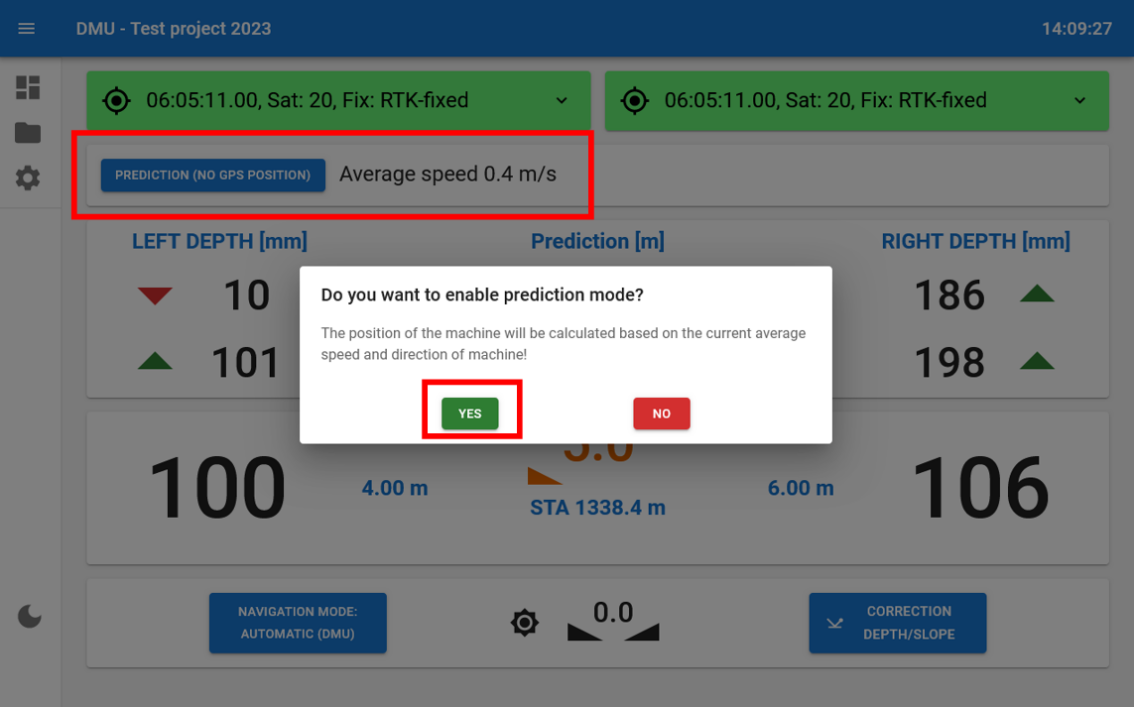
The function is based on automatic pre-calculation of milling depths based on the last known speed before the function is selected. Prediction mode is designed for milling under bridges underpasses or areas of GNSS signal unavailability or interference. To use this function tap on PREDICTION (NO GPS POSITION) and then choose YES option.
- Maintain a constant speed before activating PREDICTION and throughout the journey
- Ensure that GNSS is still available and accurate (green color).
- Then activate the PREDICTION mode approximately 10 metres before an obstacle (places where GNSS is not available, e.g. under bridges).
- Maintain a constant speed.
- After passing an obstacle (e.g. 10-20 m behind a bridge):
- stop the milling machine,
- switch off automatic mode using the 3D sensor on the milling machine control panel.
- switch off the PREDICTION function on the DMU.
- Wait for high GNSS signal quality (green color).
- Due to the small change in speed, the actual depth data given by the milling machine will not match exactly the correct depths from the GNSS position, but the difference will be minimal. Therefore, we recommend continuing to manually control the milling depth and gradually match the actual milling depth to the depth shown on the DMU displays.
- Turn on automatic mode using 3D sensor on milling machine controller.
- Continue 3D milling.
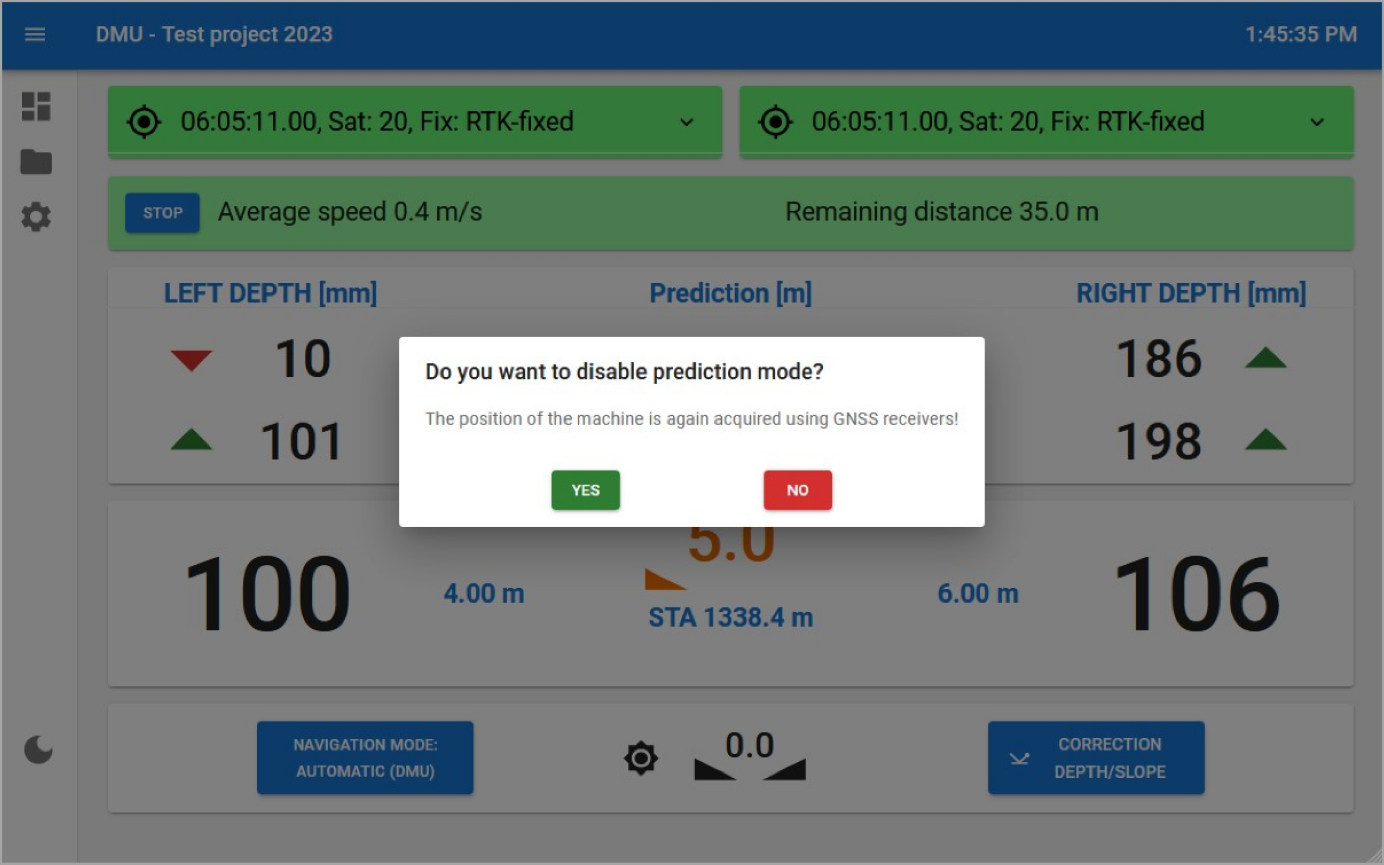
After passing a place with GNSS signal unavailability or interference return to GNSS guidance mode. For this step tap on STOP icon and choose YES option.